Show customers Securie reviews your repo
A Securie badge is a tiny SVG your app can display in its footer or GitHub README. It states one thing — Securie reviews every pull request to the repository — and links to a page confirming that. It is a statement of ongoing review, not a security score or a vulnerability-free guarantee.
Three sizes - pick what fits
Previews are live. They render from the demo endpoint right now.
Compact
Shield-style, about 148x20. Perfect for GitHub READMEs next to build/license badges.

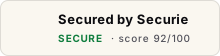
Standard
200x48. Site footer, landing-page trust bar, below the fold.
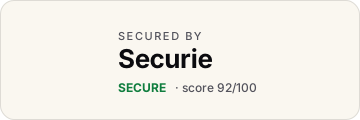
Hero
320x96. Above the fold, feature block, comparison table.
How to install
Replace your-slug with the slug you'll get once you connect the repo.
<a href="https://securie.ai/badge/your-slug" target="_blank" rel="noopener noreferrer">
  <img src="https://securie.ai/badge/your-slug/badge.svg"
       alt="Reviewed by Securie" height="20" />
</a>[](https://securie.ai/badge/your-slug)<a href="https://securie.ai/badge/your-slug" target="_blank" rel="noopener noreferrer">
<img src="https://securie.ai/badge/your-slug/badge.svg?variant=standard"
alt="Reviewed by Securie" height={48} />
</a>Query params
| Param | Values | Default |
|---|---|---|
| variant | compact · standard · hero | compact |
| theme | light · dark | light |
What the badge means
The badge says exactly one thing: this repository is connected to Securie, which reviews every pull request for security issues. It is the same for every repo — there is no score, grade, or pass/fail state.
That is deliberate. The badge is a statement of ongoing review, not a certification that the code is free of vulnerabilities — no review process catches every bug. Framing it as a verdict would be unfair to you (one finding should not publicly downgrade your repo) and dishonest to your visitors. The badge never degrades: if a repo opts out, the badge simply disappears rather than turning red.
We never expose code, finding details, secrets, or PII on the public badge page — only the repository name and last-review timestamp are visible.